

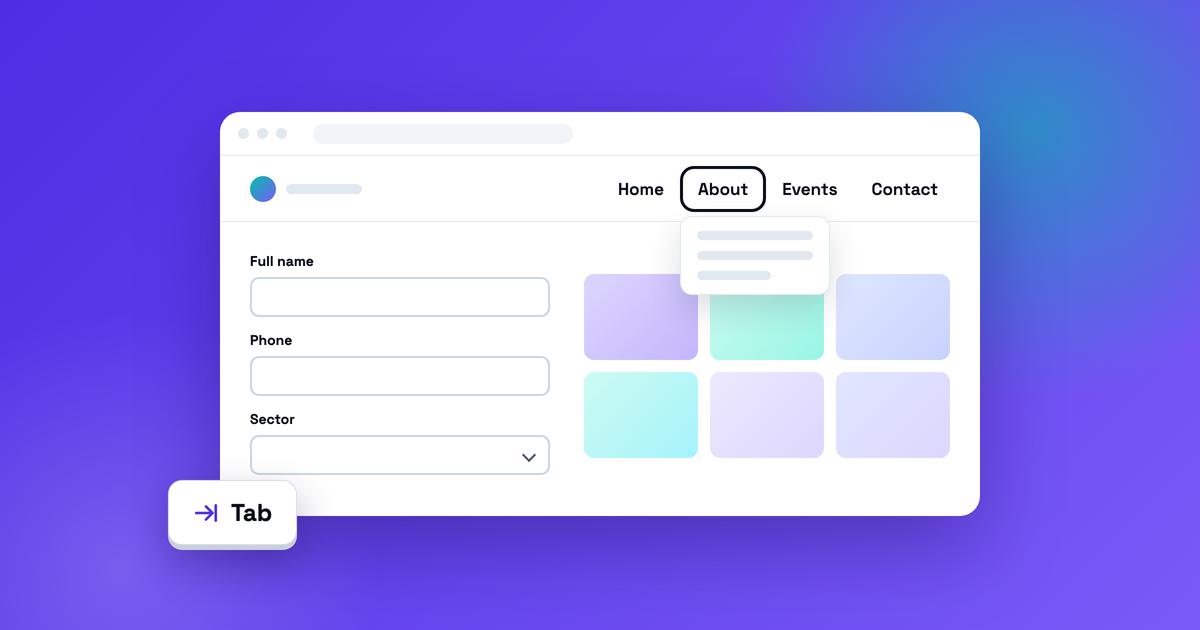
WordPress accessibility remediation works best when you fix the parts every page shares: the header menu, the forms, the galleries. Fix one of those and every page that uses it improves. That’s the approach we took on CIFAL Miami’s website in September 2026, and it didn’t take a rebuild.
CIFAL Miami is a UN-affiliated training center in UNITAR’s CIFAL Global Network. We extended our ongoing support for its WordPress site with a focused accessibility pass. The site looked right and worked with a mouse, but a few theme and page-builder defaults got in the way of keyboard and screen reader users. Here’s what we changed, how we verified it, and what you can check on your own site.
Key takeaways
- Accessibility remediation means fixing the barriers that stop people using a site, then proving the fixes work.
- Fixing shared components (navigation, forms, galleries) improves every page that uses them.
- On CIFAL Miami’s site we added visible keyboard focus, fixed menu behavior, labeled form fields and named gallery links, using native WordPress settings and a small, reversible plugin.
- We verified the work with automated scans, keyboard regression tests and targeted VoiceOver checks. The final saved run, on September 29, 2026, passed all 19 checks.
- No rebuild: the design and the staff’s publishing workflow stayed the same.
What is accessibility remediation?
Accessibility remediation is the work of fixing the barriers that stop people with disabilities from using a website, then confirming the fixes work. An audit finds and prioritizes the problems. Remediation changes the code, settings and content behind them, and retests the pages and tasks that matter.
There’s plenty of it to do. WebAIM’s February 2026 scan of the top one million home pages found detectable WCAG failures on 95.9% of them, including missing form input labels on 51% and empty links on 46.3%. Only 4.1% had no detectable failures, and because automated tools can’t catch everything, WebAIM says true conformance is certainly lower.
Why fix shared components first?
Because that’s where people interact with your site, and those components repeat on every page. People who navigate by keyboard or use a screen reader need to see where they are, hear what each form field is for, and move through content without losing their place. Menus, forms, galleries and dialogs are where that either works or doesn’t.
On CIFAL’s site, the header appears on every page, the contact form is how people reach the team, and the event galleries are photo-heavy by design. Fixing each component once improved every page that uses it. Page-by-page cleanup can’t match that, and it comes undone the next time someone builds a page with the same broken block.
What we changed on CIFAL Miami’s WordPress site
We worked on three shared components. Here’s the summary, with the WCAG 2.2 success criteria each change relates to:
| Component | What got in the way | What changed | Related WCAG 2.2 criteria |
|---|---|---|---|
| Header navigation | Theme and page-builder defaults hid keyboard focus, and links in closed dropdowns could take focus | Clear focus indicator; menus open and close predictably from the keyboard | 2.4.7 Focus Visible, 1.4.13 Content on Hover or Focus, 2.4.3 Focus Order, 2.4.11 Focus Not Obscured (Minimum) |
| Contact form | The Phone and Sector fields didn’t have their own labels | Each field associated with its correct label | 1.3.1 Info and Relationships, 4.1.2 Name, Role, Value |
| Event galleries | Gallery links had no names | Named thumbnails; the image viewer opens as a labeled dialog and returns focus when it closes | 2.4.4 Link Purpose (In Context), 2.4.3 Focus Order, 4.1.2 Name, Role, Value |
Mapping a change to a criterion isn’t the same as certifying a site against it. It tells you which part of the standard the fix addresses.
Navigation you can see and control
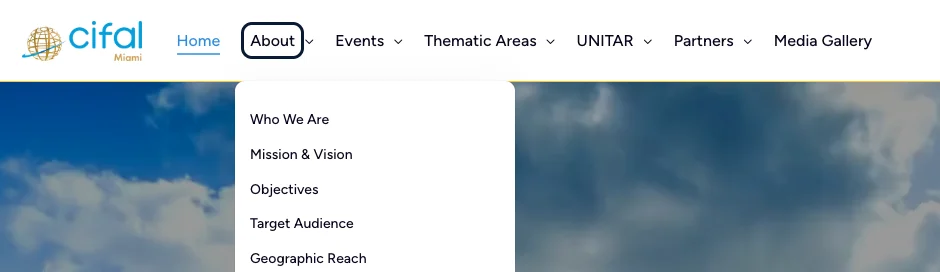
Press Tab on the old header and the outline that shows where you are simply wasn’t there. Links inside closed dropdown menus could also take focus, so a keyboard user could land on menu items they couldn’t see. WCAG calls the first requirement “focus visible,” and it’s about as basic as keyboard access gets.
We added a clear focus indicator and made the header menus open and close predictably from the keyboard. Now when focus lands on About, an outline marks it and its dropdown opens.
Before

After live deployment
Form fields that say what they are
A sighted visitor reads the label next to a field. A screen reader user hears whatever the code connects to that field, and if nothing is connected, they get a generic announcement and a guessing game. Guessing which blank box wants your phone number is not a great way to start a conversation.
CIFAL’s Phone and Sector fields now carry their own labels. In VoiceOver checks on the live site, each field was announced by name and the Sector options were read out. In many form builders, fixing this is a setting, not a development project, so check it first.
Galleries you can browse without losing your place
Thumbnails without names all sound the same to a screen reader. A lightbox that doesn’t manage focus can strand a keyboard user behind it or drop them back at the top of the page.
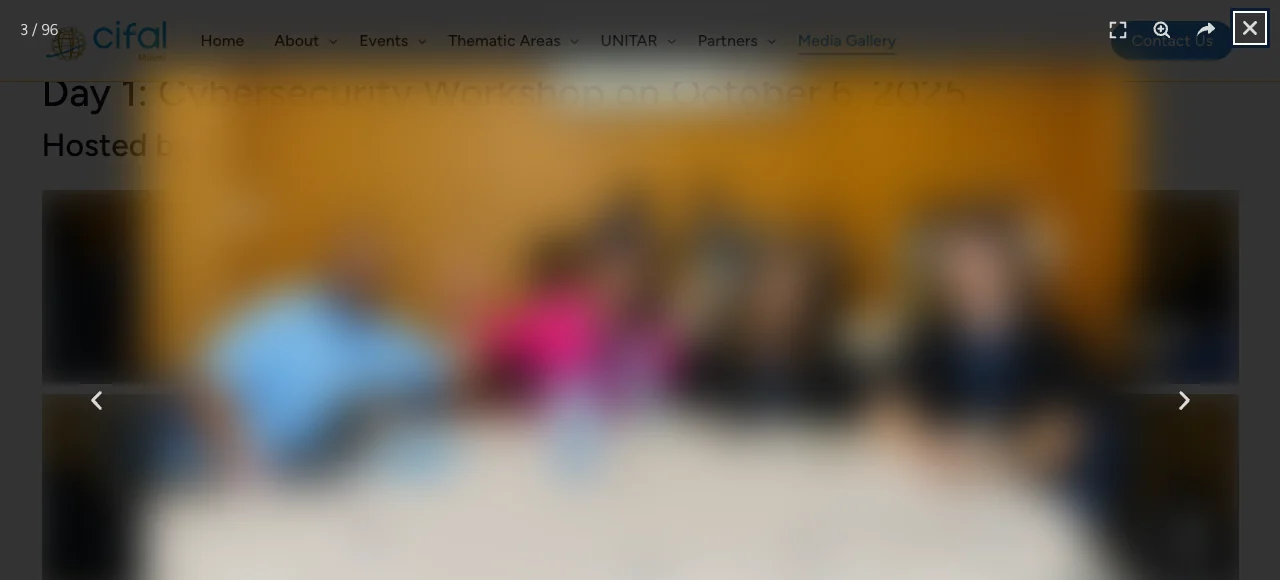
CIFAL’s gallery thumbnails now have meaningful names. The image viewer opens as a labeled dialog with keyboard focus on its Close control, and closing it returns focus to the photo that opened it. That last detail sounds small until you try browsing dozens of event photos without it.
How do you verify accessibility fixes?
Test them the way people use the site. A fix you haven’t tested is a guess, so we verified CIFAL’s changes three ways on the live site:
- Automated accessibility scans, which are good at catching patterns like unnamed links and unlabeled fields across many pages.
- Keyboard regression tests: scripted checks that move through the navigation, the form and the gallery and confirm those fixes behave the way they should.
- Targeted screen reader testing with VoiceOver on the contact form and the image viewer, because only a screen reader tells you what a screen reader user actually hears.
The final saved regression run, on September 29, 2026, passed all 19 checks. That number has a specific meaning: the suite was written for these fixes, so it confirms they work. It’s not a score for the whole site, and it’s not a certification.
Do you need to rebuild a WordPress site to make it accessible?
Usually not. CIFAL’s changes used native WordPress settings and a small, reversible plugin. The design stayed the same, the staff kept publishing the way they already did, and every change has a documented rollback: switch off one plugin, or restore the recorded settings.
A rebuild makes sense when a theme or page builder can’t be fixed at the component level. For most existing sites, it’s the expensive answer to a targeted problem. When a rebuild is the right call, scope it as its own development project.
What people get wrong about WordPress accessibility remediation
Treating the scan as the finish line. Scans are useful for finding some issues, but they can’t tell you whether a menu opens from the keyboard or whether focus comes back when a dialog closes. We covered what a good audit should look at in WordPress Accessibility Audit: What Matters. Remediation is where those findings turn into working components.
Testing with a mouse. If the person checking the fix uses a mouse, the bugs that matter most stay invisible. Test with the keyboard, and listen with a screen reader.
Forgetting that updates can undo fixes. A theme update, a new plugin or a page-builder change can quietly bring a problem back. That’s what a regression suite is for: run it after changes and you find out before your visitors do. Once a site is remediated, keeping it that way through updates is part of what Protect covers.
How to check your own WordPress site in 20 minutes
You don’t need special tools to find the barriers described above:
- Put the mouse away and press Tab. Start at the top of your homepage. Can you always see where focus is? Can you open every menu and reach the links inside it? Does focus ever disappear into something you can’t see?
- Listen to your contact form. On a Mac, turn on VoiceOver with Command + F5 and tab through the form. On Windows, NVDA is free. Every field should announce its name, and a generic description means the label isn’t connected.
- Open a photo, then close it. Does focus move into the viewer? Does Escape close it? When it closes, are you back on the photo you opened?
- Write down every change and how to undo it. Every change on CIFAL’s site has a documented rollback, and that’s what makes remediation safe to ship on a live site.
- Retest after updates. Script the checks if you can. If you can’t, keep this list and run it as part of a safe update workflow.
Frequently asked questions
What’s the difference between an accessibility audit and remediation?
An audit finds and prioritizes barriers. Remediation fixes them in the site’s code, settings and content, then retests. Most sites need both, in that order.
Is an automated accessibility scan enough?
No. A scan is one part of an assessment. Keyboard testing and screen reader checks cover behavior scans miss, like whether focus returns to the right place after a dialog closes.
Does accessibility remediation guarantee legal compliance?
No project can promise that. Good remediation tests against relevant WCAG criteria and documents what changed, which is useful evidence, but it isn’t legal advice or a certification.
Which screen reader should you test with?
Start with what’s free. VoiceOver comes with every Mac, and NVDA is free on Windows. Test the tasks that matter most: your menus, your forms and any dialogs.
How do you keep accessibility fixes from breaking after updates?
Re-run your checks after theme, plugin and page-builder updates, script them so they’re cheap to repeat, and make them part of your monthly maintenance. No test suite can promise an update will never cause a regression, but it tells you quickly when one does.
The short version
Accessibility remediation isn’t a scan and a score. It’s finding the barriers in the parts people actually use, fixing them at the source, and proving the fixes hold. On CIFAL Miami’s site, that meant a header you can see and control, a form that says what it’s asking for, and a gallery you can browse without losing your place, all without rebuilding the website.
The full before-and-after is in the CIFAL Miami case study. If your site needs the same kind of work, here’s how Parameter approaches website accessibility. Or tell us about your site and the tasks that matter most to your visitors, and we’ll suggest a practical starting point.
Sources: WebAIM, The WebAIM Million (February 2026 data). W3C, How to Meet WCAG 2.2 (Quick Reference).
Want WordPress to feel handled?
Self-serve onboarding takes minutes. Parameter takes care of the rest, hosting, ops, and improvements when you need them.