

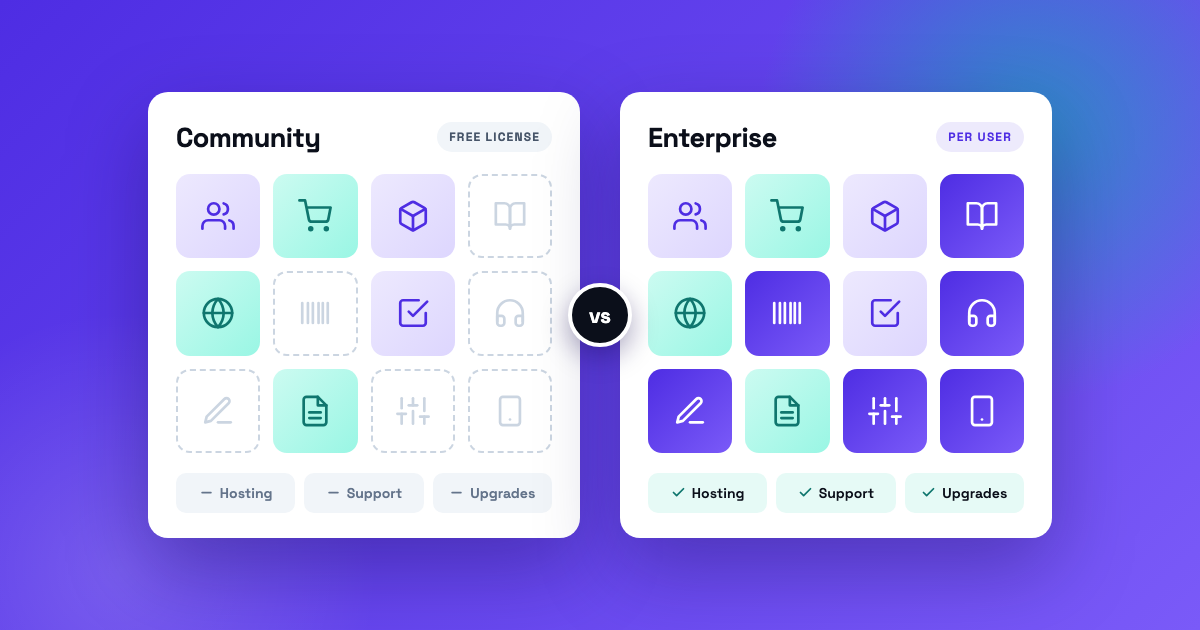
Odoo Community vs Enterprise looks like a question about price. Community is free, Enterprise charges per user, so the free one wins until you can’t avoid paying. That reading gets the decision backwards.
The license fee is the smallest difference between the two. Enterprise comes with hosting, support, version upgrades, and more than half of the features on Odoo’s own comparison list. Community leaves all of that to you. So the real question is who does that work, and whether you can.
Key takeaways
- Odoo Community is the open-source core, free to license. Odoo Enterprise is the same core plus more apps and services, sold per user.
- On Odoo’s own comparison page, 35 of the 65 lines are Enterprise only (checked October 2, 2026).
- Community has Invoicing but not Accounting. For many businesses, that one gap decides it.
- Enterprise includes Odoo’s support, version upgrades, and hosting on Odoo Online. Community includes none of the three.
- You can move from Community to Enterprise later without starting over.
What is the difference between Odoo Community and Enterprise?
The Odoo Community edition is open source: free to license, and you host and maintain it yourself. Odoo Enterprise is built on top of it and adds more apps, plus Odoo’s hosting, support, and upgrades, for a per-user subscription. Odoo calls Community “the core upon which Odoo Enterprise is built.”
| What you get | Odoo Community | Odoo Enterprise |
|---|---|---|
| License | Open source (LGPL version 3) | Odoo Enterprise Edition License, which requires a paid subscription |
| Cost | No license fee | Per user, per month |
| Hosting by Odoo | No. You run your own server | Yes. Odoo Online is included, Odoo.sh costs extra, and your own server also works |
| Support from Odoo | No | Yes |
| Version upgrades by Odoo | No | Yes, for standard apps |
| Accounting | Invoicing and payments only | Full Accounting app |
| Studio (changes without code) | No | Yes |
| Mobile apps (Android and iOS) | No | Yes |
| Apps | CRM, Sales, Inventory, Purchase, Manufacturing, Website, eCommerce, Project, Point of Sale, and more | Everything in Community, plus the Enterprise-only apps listed below |
What does Odoo Community leave out?
More than half the list. On Odoo’s editions comparison, 35 of the 65 lines are Enterprise only, as checked on October 2, 2026. These are the gaps that matter most in practice:
- Accounting. Community includes Invoicing and payments. The Accounting app, with the general ledger, bank reconciliation, and financial reports, is Enterprise only.
- Studio. The tool for adding fields, screens, and automations without code. Without it, those changes are technical work.
- Warehouse and shop floor. Barcode scanning, the Manufacturing shop floor and scheduling tools, Quality, and PLM.
- Service apps. Helpdesk, Field Service, Planning, and Appointments.
- Documents and paperwork. Documents, Spreadsheet, Sign, Knowledge, and Approvals.
- Recurring revenue. Subscriptions and Rental.
- People. Payroll, Appraisals, and Referrals.
- Marketing. Marketing Automation and Social Marketing.
- Mobile apps for Android and iOS.
Community still covers a lot: CRM, Sales, Point of Sale, Inventory, Purchase, Manufacturing (MRP), Website and eCommerce, Project, Timesheets, Expenses, and Email Marketing. If your list stops there, Community can run a real business.
Is Odoo Community really free?
The license is. Running it isn’t. Community has no license fee, and it’s published under the LGPL version 3. What you take on is the work Enterprise would have covered.
Four costs show up sooner or later:
- Hosting and administration. A server, backups, security updates, and someone who answers when it’s down.
- Upgrades. Odoo’s upgrade service is part of the Enterprise subscription. The open-source route is OpenUpgrade, a project of the Odoo Community Association, and it takes technical work.
- Filling the gaps. Community-maintained modules cover some missing features, accounting reports included. Each one you install is code you carry through every upgrade.
- Support. Odoo’s support comes with Enterprise. On Community you rely on the forum, your own people, or a partner.
One more thing people mix up: Odoo’s One App Free plan isn’t Community. It is Odoo Online, hosted by Odoo, with one app and the apps it depends on. Add another app and you move to a paid plan.
For what Enterprise costs per user, and what that price leaves out, see our Odoo pricing guide.
Where can each edition run?
Odoo Community hosting is your job. It runs on a server you control: your own, or one you rent from a hosting company. Odoo doesn’t host Community. Odoo Online runs the Enterprise software, and Odoo.sh requires an Enterprise subscription that includes it.
Enterprise can also run on your own server, on Odoo’s Custom plan. Custom code narrows the choice further: Odoo Online doesn’t run custom modules, so anything custom needs Odoo.sh or your own server. If custom work is in your plans, read how to scope Odoo customization and how we approach Odoo development before you pick.
How do upgrades differ?
Odoo supports each major version for three years, so both editions face an upgrade sooner or later. With Enterprise, Odoo upgrades the standard apps as part of the subscription. Custom modules are yours to upgrade in either edition, unless a maintenance contract with Odoo covers them.
With Community there’s no upgrade service. The open-source route is OpenUpgrade plus a developer who knows your database. Budget for it up front, because skipping upgrades is how a free system turns into an old one. More on that in Odoo upgrades and migrations.
When is Odoo Community enough?
When you can say yes to all four of these:
- You have someone technical who will own the server, the backups, and the upgrades.
- Your accounting lives in another system, or invoicing is all you need from Odoo.
- Every app you need is on the Community list.
- You accept that support is the forum, your own team, or a support partner you pay.
For most small businesses with no technical person on staff, Community is the expensive choice. You save the subscription and become your own host, upgrade service, and help desk.
When do you need Odoo Enterprise?
When any one of these is true:
- You want your books in Odoo, not only your invoices.
- You want Odoo to host it, support it, and upgrade it.
- You need an Enterprise-only app, such as Barcode, Helpdesk, Subscriptions, Payroll, or Quality.
- You want to adjust screens and fields with Studio.
- Your team needs the mobile apps.
Notice what isn’t on either list: company size. A five-person distributor that wants Odoo’s Barcode app needs Enterprise. A forty-person services firm that only wants CRM and projects may not.
Can you switch from Community to Enterprise later?
Yes. Odoo says you can switch at any time, and your data stays in the same database. On your own server, Odoo’s documented steps are short: back up the database, shut down the server, install the Enterprise module, restart, and enter your subscription code.
Two cautions. Switching editions is not part of a version upgrade, so if you want both, plan both. And community modules you installed to fill gaps can overlap with the Enterprise apps that replace them, which takes someone to untangle.
Going the other way, from Enterprise to Community, means giving up the Enterprise-only apps and whatever you built on them. Plan it as a migration project.
Odoo Community vs Enterprise: how should you decide?
Start with the app list and the accounting question, not the price. Write down the apps you need in the first year, mark the ones that are Enterprise only, and decide where your books will live. For most companies, that settles it.
If it doesn’t, that’s a consulting question, and it’s one we answer in writing. Parameter is an Odoo Partner and implementer, and we work on both editions. The Odoo Assessment is free: a first conversation, then a written Preliminary Scope within 5 business days of it.
Frequently asked questions
Is Odoo free?
Partly. Odoo Community has no license fee, and Odoo Online’s One App Free plan gives you one app for unlimited users. Anything more on Odoo’s hosting is a paid plan.
Is Odoo open source?
Odoo Community is. It’s published under the LGPL version 3. Odoo Enterprise adds apps under Odoo’s own license, which requires a paid subscription.
Can Odoo Community do accounting?
Not fully. Odoo Community accounting stops at Invoicing and payments, and the Accounting app is Enterprise only. Community-maintained accounting modules exist, but you install and maintain them yourself.
Does Odoo Community include support?
No. Odoo’s support comes with Enterprise. Community users rely on the forum, their own team, or a partner.
Is Odoo Studio available in Community?
No. Studio is Enterprise only. In Community, new fields and screens are technical work, done in developer mode or in a custom module.
Is the free Odoo plan the same as Community?
No. One App Free is Odoo Online with a single app, hosted by Odoo. Community is the open-source edition you host yourself.
Sources: Odoo editions comparison, Odoo pricing, Odoo licenses, Odoo upgrade documentation, Switch from Community to Enterprise, Odoo.sh FAQ, and OpenUpgrade. All checked October 2, 2026.
Related Odoo services
Ready to get Odoo working for your business?
Start with the free Odoo Assessment: a first conversation, then a written Preliminary Scope within 5 business days. Not sure Odoo fits yet? The Odoo Score tells you in under 3 minutes.